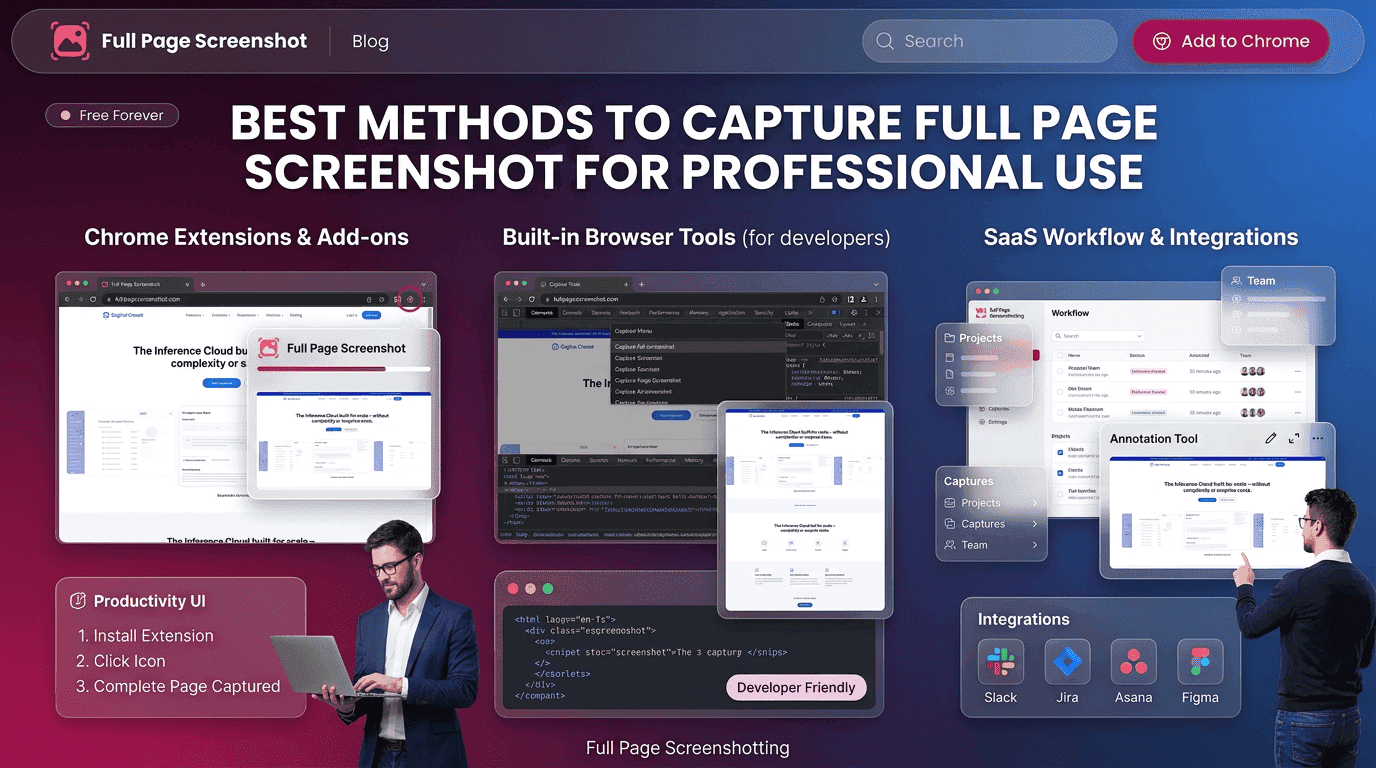
Digital communication now depends heavily on visual documentation. Businesses, freelancers, agencies, educators, and technical teams regularly use screenshots to explain ideas, preserve records, and improve collaboration. As websites continue becoming longer and more detailed, traditional screenshot methods are no longer efficient for professional work.
Modern workflows require tools that can capture full page screenshot content accurately without forcing users to combine several images manually. Complete webpage captures help professionals save time while maintaining clear documentation for projects, presentations, and reporting.
Today’s online environments involve landing pages, dashboards, e-commerce platforms, analytics reports, and interactive applications that extend far beyond the visible browser screen. Browser-based screenshot solutions simplify this process by allowing users to generate complete webpage captures within seconds.
Fullpage Screenshotting supports professionals who need organized webpage documentation and efficient visual communication during daily online tasks.
Why Full Page Captures Are Important for Teams
Professional teams often collaborate across departments and remote locations. During projects, visual clarity becomes essential for reducing misunderstandings and improving communication speed.
The ability to capture full page screenshot content helps teams preserve entire webpage layouts instead of isolated sections. This creates more accurate references during reviews, audits, and discussions.
Full-page screenshots also improve training materials and onboarding guides because users can see complete webpage structures within a single image.
Common Industries Using Webpage Screenshot Tools
Many industries now rely on webpage screenshots for communication, documentation, and operational tasks.
Marketing and Advertising
Marketing teams archive landing pages, promotional campaigns, and competitor websites for reporting and analysis. Full-page captures help preserve design layouts and campaign structure before updates occur.
Web Design and Development
Developers and designers use screenshots to compare layout changes, review interface consistency, and track project progress. The ability to capture full page screenshot content improves testing workflows and visual documentation.
E-commerce Businesses
Online stores frequently save product pages, checkout flows, and promotional banners for operational reviews and campaign tracking.
Education and Research
Students, educators, and researchers use webpage screenshots to preserve online information for future reference and learning materials.
Customer Support and Technical Teams
Support departments use screenshots to troubleshoot issues and communicate technical problems more effectively.
These industries benefit from faster documentation processes and more organized webpage records through modern browser screenshot tools.
Organizing Screenshot Files for Better Workflow
As businesses create more webpage captures, proper file management becomes increasingly important. Disorganized screenshot storage can reduce productivity and create confusion during projects.
Many professionals organize screenshots using structured systems based on:
- Client names
- Project categories
- Dates
- Campaign types
- Department workflows
Consistent file naming also improves accessibility and simplifies long-term documentation management.
The ability to capture full page screenshot content efficiently becomes even more valuable when combined with organized storage practices. Teams can quickly retrieve archived webpage records for audits, presentations, or comparisons.
Cloud storage platforms are also widely used for screenshot management because they improve accessibility across remote teams and departments.
Businesses that maintain organized screenshot libraries often experience smoother collaboration and faster project coordination.Fullpage Screenshotting supports professionals who require dependable screenshot solutions designed for efficient digital documentation.
Full Page Capture Tools for Marketing and Development
Marketing and development teams are among the largest users of webpage screenshot technology. Both industries depend heavily on visual accuracy and organized records.
Developers use screenshot tools for interface testing, bug reporting, and version comparisons. The ability to capture full page screenshot content simplifies technical reviews and improves communication during development cycles.
Browser-based tools also provide easier accessibility because they operate directly within the browsing environment. This creates faster workflows and supports smoother online collaboration.
As digital projects continue becoming more complex, screenshot tools remain valuable productivity assets for both creative and technical teams.
Mistakes That Reduce Screenshot Quality
Even advanced screenshot tools require proper usage habits to maintain professional results. Small mistakes can negatively affect image clarity and organization.
Capturing Before Full Page Loading
Dynamic webpages often require extra loading time for images and interactive sections. Capturing too early may create incomplete screenshots.
Browser Clutter
Too many visible tabs or notifications reduce screenshot cleanliness and create distractions within the final image.
Poor Organization Practices
Random screenshot names and unstructured folders make future retrieval difficult.
Sharing Sensitive Information
Professionals should always review screenshots carefully before external sharing to avoid exposing private information.
The ability to capture full page screenshot content effectively depends not only on the software but also on maintaining proper screenshot management practices.
Modern Trends in Browser-Based Productivity Tools
Browser productivity tools continue evolving alongside modern digital workflows. Businesses now expect browser extensions to support automation, collaboration, and simplified online processes.
Screenshot technology is becoming more advanced through features such as:
- Cloud synchronization
- Workflow integration
- Automated organization
- Real-time collaboration
- Annotation systems
- Faster export capabilities
The demand to capture full page screenshot content efficiently continues growing because online businesses rely heavily on digital communication and remote collaboration.
Fullpage Screenshotting recognizes the importance of efficient browser tools that support organized digital workflows and professional communication.
Conclusion
Full webpage screenshots have become an important part of professional communication, project management, and digital documentation. Businesses across industries now rely on complete webpage captures to improve collaboration, preserve online records, and simplify reporting processes.
The ability to capture full page screenshot content accurately helps professionals reduce manual editing, improve workflow organization, and maintain better visual communication during projects.
Fullpage Screenshotting continues supporting professionals who require dependable webpage capture solutions designed for speed, clarity, and efficient digital collaboration.