The internet has become the primary source of information for businesses, researchers, educators, marketers, and professionals across every industry. From detailed reports and landing pages to product catalogs and research articles, valuable information is often published online first. However, webpages are constantly evolving. Content is updated, designs change, and important information can disappear without warning.
This creates a challenge for anyone who needs reliable records of online content. Traditional screenshot methods often capture only the visible portion of a webpage, forcing users to take multiple screenshots and manually organize them. This process consumes time and increases the risk of missing critical information.
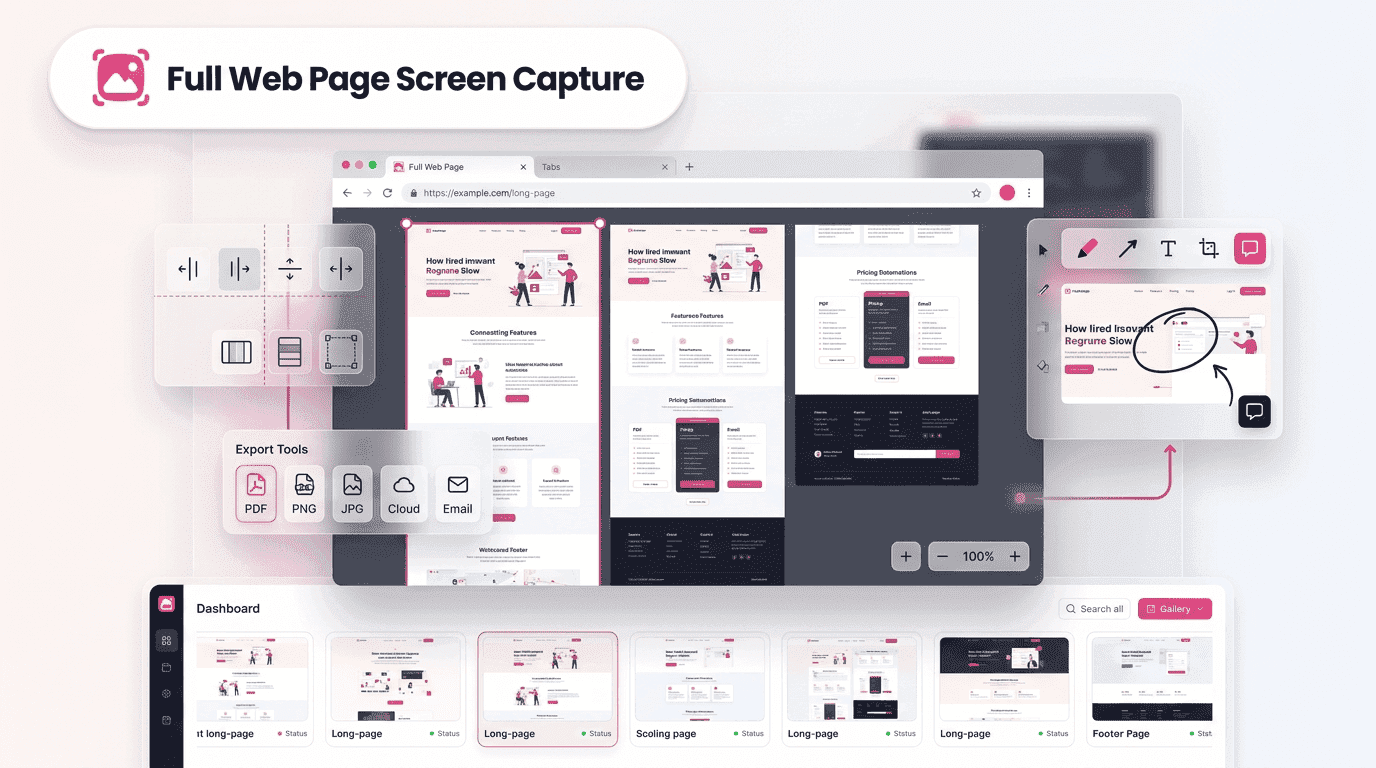
A Full web page screen capture solution eliminates these challenges by allowing users to save complete webpages in a single image. With tools like Fullpage Screen Shotting, preserving online information becomes faster, more accurate, and significantly more efficient.
Why Saving Complete Webpages Has Become More Important Today
Digital content changes at an unprecedented pace. Businesses regularly update websites to improve user experiences, launch new products, adjust pricing, or publish fresh content. While these updates are beneficial, they can make it difficult to maintain accurate records of what appeared online at a specific moment.
Imagine a marketing team tracking competitor campaigns or a researcher documenting industry trends. If a webpage changes before information is recorded, valuable insights may be lost. Capturing complete webpages provides a dependable way to preserve content exactly as it appeared.
A Full web page screen capture helps professionals maintain comprehensive records while reducing the risk of missing important details hidden beyond the visible screen area.
The Limitations of Traditional Screenshot Methods
Most devices include built-in screenshot functions, but these tools were not designed for capturing long webpages. Users often find themselves scrolling through pages, taking multiple screenshots, and attempting to combine them manually.
This approach introduces several challenges. Images may overlap incorrectly, sections can be missed, and the final document often lacks consistency. For professionals who require accurate records, these issues can affect productivity and data reliability.
Using a dedicated Full web page screen capture tool streamlines the process by automatically capturing the entire webpage from top to bottom without requiring multiple screenshots.
How Full Web Page Capture Technology Works Behind the Scenes
Modern webpage capture tools use intelligent methods to record content beyond what is visible on a user’s screen. Rather than simply photographing the display, these tools identify the webpage’s full dimensions and capture every section in a single operation.
The technology ensures that text, images, graphics, and layouts remain intact throughout the process. Users receive a complete representation of the webpage without gaps or alignment issues.
This capability makes a Full web page screen capture particularly valuable for professionals who depend on accurate documentation and visual records.
Practical Situations Where Complete Page Capture Adds Value
The ability to save entire webpages benefits a wide range of users and industries. Whether documenting information or sharing references, complete webpage captures provide significant advantages.
Marketing professionals often archive campaign pages before updates occur. Designers preserve website layouts before redesign projects begin. Researchers save online resources for future analysis, while businesses document webpages for compliance and auditing purposes.
In each case, a Full web page screen capture provides a reliable visual record that can be reviewed, shared, and referenced whenever needed.
Key Benefits of Using a Dedicated Webpage Capture Tool
| Benefit | How It Helps Users | Business Impact |
|---|---|---|
| Time Savings | Captures entire webpages in a single action. | Improves productivity and reduces manual effort. |
| Professional Documentation | Creates complete visual records of webpage content. | Enhances reporting, presentations, and recordkeeping. |
| Improved Accuracy | Preserves all webpage sections without missing details. | Supports reliable decision-making and analysis. |
| Better Collaboration | Enables teams to share one comprehensive capture. | Reduces confusion and improves communication. |
| Stronger Information Management | Simplifies storage and retrieval of webpage records. | Helps maintain organized digital archives. |
| Workflow Efficiency | Streamlines the capture and documentation process. | Allows teams to focus on higher-value tasks. |
Fullpage Screen Shotting combines these advantages by delivering complete webpage captures with accuracy, consistency, and ease of use, making digital documentation more efficient and dependable.
Supporting Better Collaboration Through Visual Documentation
Many projects involve teams working across different departments, locations, and time zones. Communicating webpage changes using multiple screenshots can quickly become confusing.
A complete webpage image provides a shared reference point for everyone involved. Team members can review the same content, identify issues, and discuss updates without worrying about missing context.
When organizations use a Full web page screen capture, collaboration becomes more efficient because everyone works from the same visual record rather than fragmented screenshots.
Improving Research and Analysis With Complete Website Records
Researchers often depend on accurate records to support their findings. Whether analyzing market trends, competitor activities, or academic resources, preserving online content is essential.
A complete webpage capture allows researchers to review information later without relying on live webpages that may have changed. This creates a stronger foundation for analysis and reporting.
The ability to generate a reliable Full web page screen capture ensures that valuable information remains accessible long after the original webpage has been updated or removed.
Best Practices for Capturing Webpages More Effectively
While advanced tools simplify webpage capture, following a structured approach can improve results even further.
Before capturing a webpage, verify that all content has fully loaded. Review images, embedded media, and dynamic elements to ensure they appear correctly. Once the capture is complete, store files using clear naming conventions and organized folder structures.
These simple habits help create a more effective documentation process while making archived content easier to locate in the future.
Organizations that establish consistent capture practices often gain greater value from their webpage archives over time.
How Fullpage Screen Shotting Simplifies Entire Page Capture
Fullpage Screen Shotting was created to address the challenges associated with traditional screenshot methods. The platform enables users to preserve complete webpages quickly and efficiently without requiring complex workflows.
Users benefit from comprehensive page coverage, reliable image quality, and a streamlined capture experience. Instead of spending time managing multiple screenshots, they can focus on analyzing information, collaborating with teams, or maintaining documentation records.
Whether used for occasional projects or daily workflows, Fullpage Screen Shotting provides a dependable solution for creating accurate webpage records.
Future Trends Driving the Evolution of Webpage Capture Tools
As websites become increasingly dynamic, webpage capture technologies continue to evolve. Modern users expect tools that can handle interactive content, complex layouts, and rapidly changing digital environments.
Future innovations may include enhanced automation, improved image optimization, and deeper integrations with documentation systems. These advancements will further simplify how organizations preserve and manage online information.
The growing demand for accurate digital records ensures that Full web page screen capture solutions will remain valuable tools for professionals across industries.
Conclusion
Online information has become one of the most important resources for businesses and individuals alike. However, the constant evolution of websites creates challenges for anyone who needs reliable records of digital content.
Traditional screenshots often fail to capture complete webpages, leading to fragmented documentation and missing information. A Full web page screen capture solves this problem by preserving entire webpages in a single, accurate image.
Whether supporting research, collaboration, compliance, website audits, or content archiving, complete webpage captures provide a practical and dependable solution. With Fullpage Screen Shotting, users can save entire webpages instantly while maintaining the accuracy and completeness required for modern digital workflows.