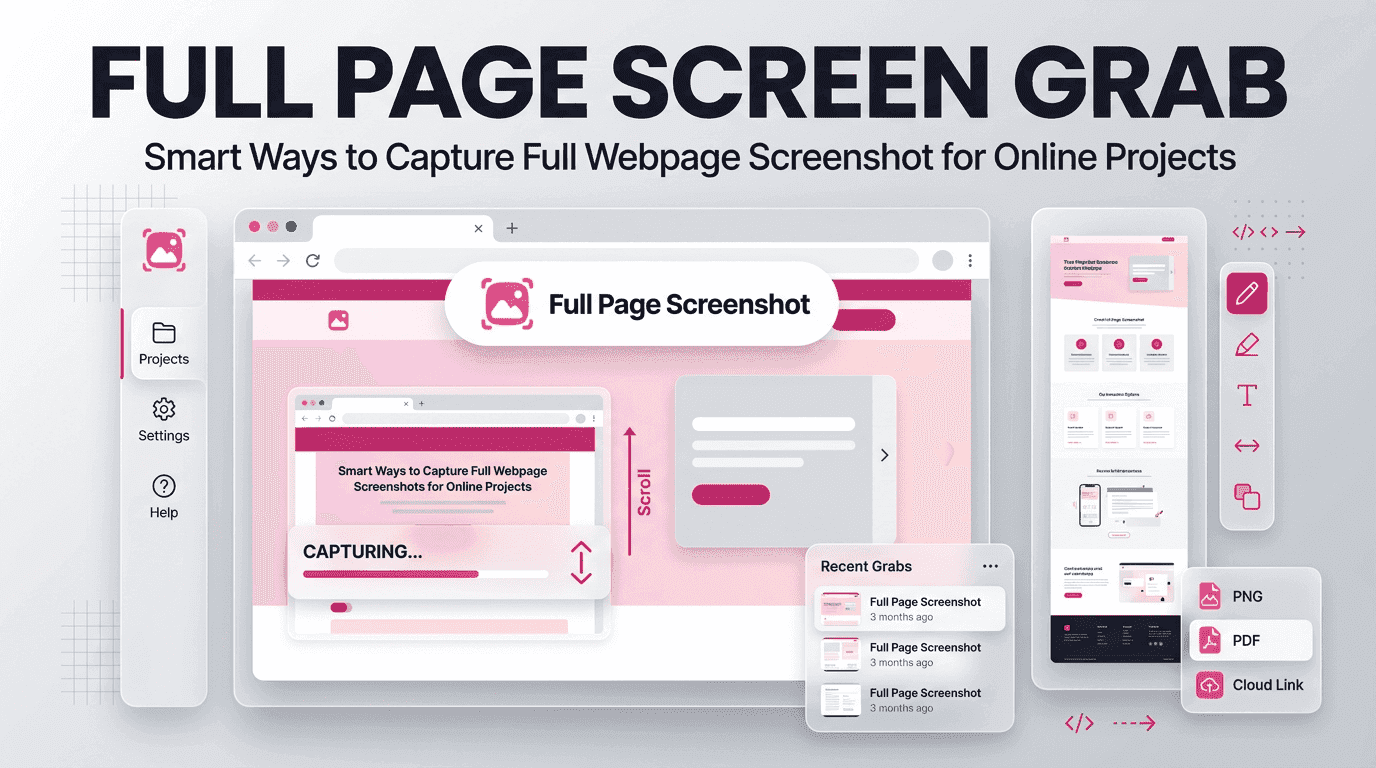
Online content is more dynamic than ever. Businesses update websites, publish new resources, refine user experiences, and modify important information on a regular basis. For professionals who need accurate records of digital content, capturing an entire webpage—not just the visible portion of a screen has become an essential practice for research, reporting, archiving, and collaboration.
Traditional screenshot methods often fail to capture long pages completely. Users are forced to take multiple screenshots and manually combine them, resulting in lost details, inconsistent formatting, and wasted time. This challenge has created a growing demand for smarter screenshot solutions.
A Full page screen grab tool solves this problem by allowing users to capture an entire webpage from top to bottom in a single image. Instead of scrolling endlessly and taking multiple screenshots, users can preserve complete webpages with precision and clarity.
Why Complete Webpage Captures Matter in Modern Digital Work
The internet has become a primary source of information for businesses and individuals alike. Every day, people rely on webpages for research, project planning, compliance documentation, competitor analysis, and content preservation.
Imagine discovering valuable market research on a webpage only to find it removed a week later. Consider a designer reviewing a website redesign project who needs proof of previous layouts. Think about legal teams documenting online content before it changes.
In each situation, capturing only a portion of the webpage creates gaps in information. A complete capture preserves context, structure, visuals, and content exactly as they appeared at a specific moment.
This is where a Full page screen grab becomes an essential productivity tool rather than a simple convenience.
Common Challenges Users Face With Standard Screenshot Tools
Many operating systems include built-in screenshot functions. While useful for basic tasks, they often struggle when users need to capture long webpages.
Common challenges include:
- Missing content below the visible screen
- Multiple screenshots required for one page
- Manual stitching errors
- Inconsistent image alignment
- Time-consuming documentation processes
- Loss of webpage context
These issues become even more problematic for professionals handling large volumes of online content.
A dedicated Full page screen grab solution eliminates these obstacles by automating the entire capture process.
How Full Page Screen Grab Technology Captures Entire Webpages
Unlike traditional screenshot tools, advanced webpage capture technology interacts directly with webpage structures.
Instead of recording only the visible portion of a screen, the tool analyzes the webpage’s full length and captures every section from header to footer.
The process typically includes:
- Detecting webpage dimensions
- Loading complete page content
- Capturing dynamic elements
- Maintaining original layout integrity
- Generating a single high-quality image
This approach ensures that users receive a comprehensive record of the webpage without sacrificing detail or accuracy.
The result is a seamless Full page screen grab that reflects the complete browsing experience.
Practical Applications Across Multiple Professional Industries
The usefulness of webpage capture extends far beyond simple screenshots. Professionals across industries rely on complete webpage documentation for numerous purposes.
Digital Marketing Teams
Marketing professionals frequently analyze landing pages, competitor websites, campaign pages, and SEO improvements.
Complete webpage captures help teams:
- Track website changes
- Monitor competitor updates
- Archive campaign assets
- Document optimization efforts
Web Designers and Developers
Design professionals often need visual references during redesign projects.
Benefits include:
- Capturing current website versions
- Reviewing design consistency
- Comparing revisions
- Creating project documentation
Researchers and Analysts
Researchers frequently gather online information from multiple sources.
Complete webpage captures help preserve:
- Data visualizations
- Reports
- Articles
- Reference materials
Business and Compliance Teams
Organizations often require records of online content for compliance and auditing purposes. A reliable Full page screen grab provides accurate documentation that can be referenced when needed.
Key Features That Define a High-Quality Screenshot Solution
| Feature | Why It Matters |
|---|---|
| Complete Page Coverage | Captures the entire webpage from top to bottom without missing content. |
| High-Resolution Output | Maintains clear text, images, and design elements for accurate documentation. |
| Fast Processing Speed | Enables quick webpage captures and improves workflow efficiency. |
| User-Friendly Interface | Makes screenshot capture simple for both beginners and professionals. |
| Consistent Accuracy | Preserves webpage layout and creates reliable visual records. |
Fullpage Screen Shotting focuses on these essential capabilities to deliver dependable and accurate webpage preservation for professionals across industries.
Preserving Website Content Before Important Changes Occur
Websites are constantly evolving. Businesses update designs, publish new content, remove outdated information, and restructure navigation.
While these changes are beneficial, they can also result in lost references.Capturing webpages before modifications occur provides valuable historical records.
Organizations often preserve:
- Product pages
- Pricing information
- Marketing campaigns
- Blog content
- Landing pages
Using a Full page screen grab helps maintain accurate records for future comparison and analysis.
Improving Team Collaboration Through Visual Documentation
Modern projects often involve multiple stakeholders working across different departments.Clear communication becomes easier when teams share complete visual references rather than fragmented screenshots.
For example:
A marketing manager reviewing a webpage can share a complete capture with designers, developers, and executives.Instead of exchanging multiple screenshots and explanations, everyone views the same document.
This approach reduces misunderstandings and improves project efficiency.A comprehensive Full page screen grab creates a single source of visual truth that teams can reference throughout a project lifecycle.
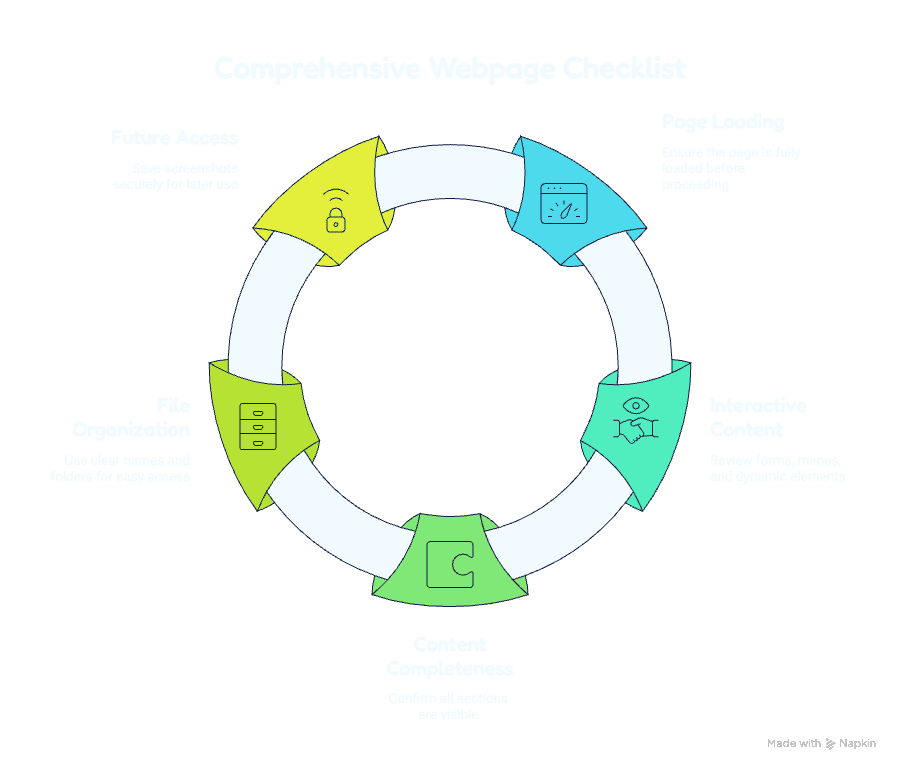
Follow a Five-Step Capture Workflow
Creating a reliable webpage record starts before the screenshot is taken. Following a structured workflow helps ensure that important content is preserved accurately and remains useful long after the capture is created.
Step 1: Prepare the Webpage Allow the page to load completely so that images, graphics, and embedded elements appear correctly.
Step 2: Inspect Interactive Elements Review expandable sections, animations, forms, and dynamic content to ensure all required information is visible.
Step 3: Validate Content Completeness Scroll through the webpage and confirm that every section has loaded from top to bottom before initiating the capture.
Step 4: Create an Organized Filing System Apply consistent naming conventions and categorize screenshots into relevant folders for easier management.
Step 5: Preserve for Future Access Store captures in secure locations where they can be quickly retrieved for audits, research, reporting, or collaboration.
By following this workflow, users can transform simple webpage screenshots into dependable documentation assets.
Why Accuracy Matters When Recording Online Information
Accuracy is one of the most important qualities of any documentation process.
- Critical text
- Product details
- Legal notices
- Pricing information
- User interface elements
Even small omissions can affect research findings, project decisions, or compliance requirements.A dependable Full page screen grab ensures that users capture complete webpages without missing essential information.
How Fullpage Screen Shotting Enhances Capture Efficiency
Fullpage Screen Shotting is built to make webpage capture simple, efficient, and dependable. Instead of relying on multiple screenshots or manual stitching, users can preserve entire webpages in a single step, saving both time and effort.
The platform delivers quick webpage capture, consistent image quality, and comprehensive page coverage. These capabilities help ensure that every important detail is accurately recorded while supporting smoother workflows and improved productivity.
Whether for occasional screenshots, website audits, research projects, or long-term archiving, Fullpage Screen Shotting provides reliable documentation support. A precise Full page screen grab enables professionals to focus on analysis and decision-making rather than managing complicated screenshot processes.
Future Trends Shaping the Evolution of Webpage Capture Tools
Technology continues advancing, and webpage capture solutions are evolving alongside changing user needs.
Emerging trends include:
- AI-assisted webpage recognition
- Enhanced image optimization
- Improved support for dynamic content
- Faster rendering technologies
- Advanced archiving integrations
As websites become increasingly interactive, capture tools must adapt to preserve content accurately. Organizations that embrace modern screenshot solutions will be better positioned to manage and preserve digital information effectively.
Building Better Digital Workflows With Complete Webpage Capture
Efficient workflows depend on reliable tools.
When professionals can accurately capture webpages, they spend less time recreating information and more time analyzing, collaborating, and making informed decisions.
A Full page screen grab supports:
- Documentation
- Research
- Reporting
- Design reviews
- Compliance efforts
- Content preservation
By integrating webpage capture into daily operations, businesses improve accuracy while reducing administrative effort.
Conclusion: Capture Every Detail With Confidence and Precision
The internet has become one of the world’s most valuable information resources, but online content changes constantly. Preserving webpages accurately is essential for professionals who depend on reliable records.
Traditional screenshots often fail to capture complete webpages, leading to incomplete documentation and lost context. A Full page screen grab eliminates these challenges by providing a comprehensive view of online content in a single image.
From marketers and researchers to designers and compliance teams, complete webpage captures support better workflows, stronger collaboration, and more accurate recordkeeping.
Fullpage Screen Shotting empowers users to preserve webpages efficiently, ensuring that important information remains accessible whenever it is needed. As digital environments continue evolving, accurate webpage capture will remain an essential tool for professionals seeking dependable documentation and long-term information preservation.
Frequently Asked Questions
1. What is a Full Page Screen Grab?
A Full page screen grab is a screenshot tool that captures an entire webpage from top to bottom in a single image. Unlike standard screenshots that only capture the visible screen area, it records all webpage content, including sections that require scrolling.
2. Why should I use a Full Page Screen Grab instead of regular screenshots?
Regular screenshots often require multiple captures for long webpages, which can be time-consuming and difficult to organize. A Full page screen grab captures the complete webpage in one image, preserving layout, content, and context with greater accuracy and efficiency.
3. How can Fullpage Screen Shotting help with webpage documentation?
Fullpage Screen Shotting simplifies webpage preservation by allowing users to capture entire webpages quickly and accurately. Whether you need records for research, design reviews, competitor analysis, compliance, or content archiving, the tool helps ensure that important online information is documented completely and reliably.