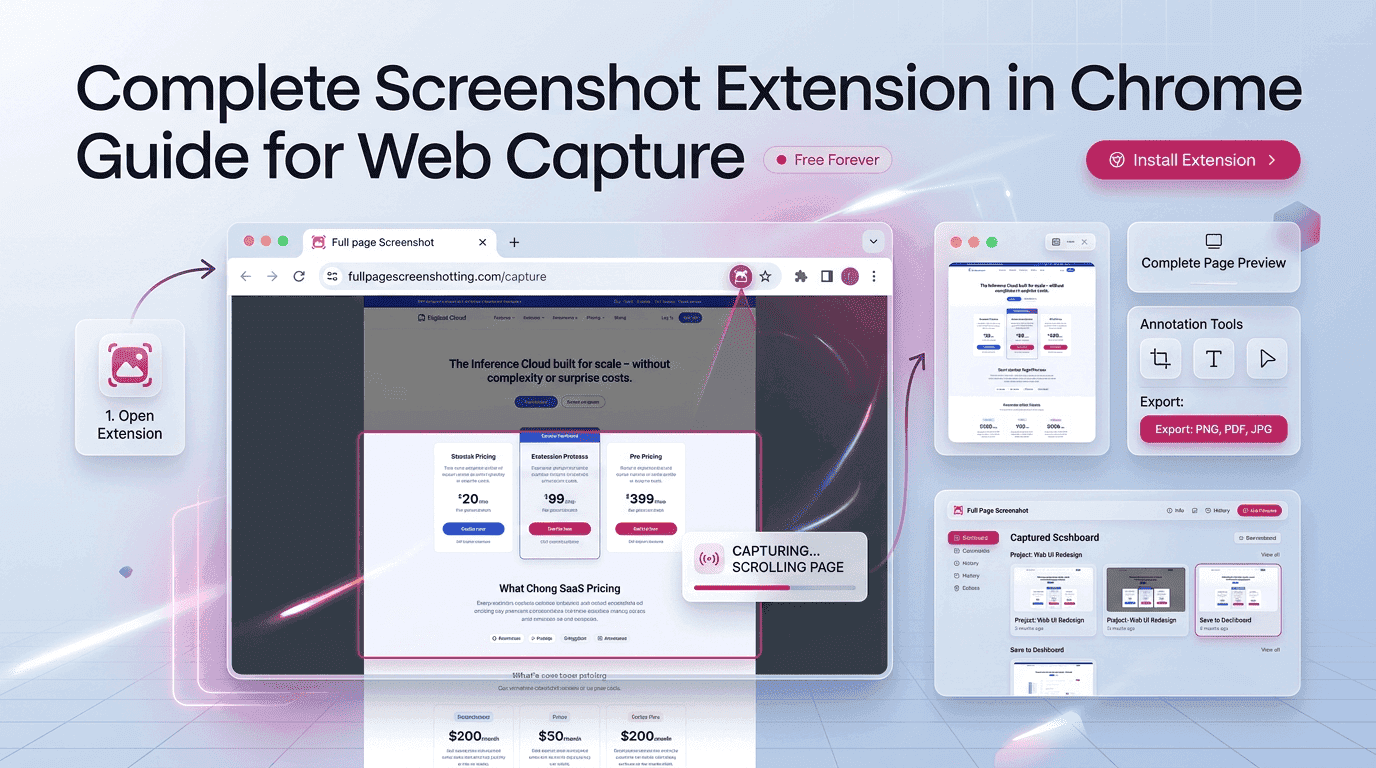
Modern digital work depends heavily on visual communication. From marketers and designers to developers and educators, professionals now rely on browser-based tools to capture, store, and share webpage information quickly. A screenshot extension in chrome has become one of the most practical productivity tools for daily online tasks because it simplifies how webpages are documented and communicated.
Traditional screenshot methods often require multiple applications, manual editing, or complicated software installations. Browser screenshot extensions reduce that complexity by allowing users to capture entire webpages directly inside Chrome. Tools like Full Page Screenshotting have become increasingly useful because they provide fast webpage capture without interrupting browsing workflows.
This guide explains how screenshot extensions work, why businesses depend on them, the best features to look for, common capture problems, and future trends shaping screenshot technology.
Why Screenshot Extensions Are Changing Online Workflows
The internet has become highly visual, and businesses now depend on screenshots for communication, reporting, and collaboration. A browser-based screenshot tool allows users to instantly save important webpage information without relying on complex desktop software. As remote work increases, screenshot extensions have become essential for simplifying communication between teams, clients, and departments.
Visual collaboration is far more efficient than long written explanations. Instead of describing website errors or design updates through text, users can simply capture a webpage and share it immediately. This improves productivity and reduces confusion during projects. Screenshot tools also help businesses archive webpages, preserve reports, and track website changes over time.
Modern browser extensions continue growing in popularity because they work directly inside Chrome. This allows users to capture webpages while browsing without switching between multiple applications. The simplicity and speed of these tools have transformed how professionals handle online documentation and communication.
How Screenshot Extension in Chrome Tools Capture Webpages
Screenshot extensions use browser-based technology to capture webpage content directly from Chrome. Unlike traditional screenshot software, browser extensions are specifically designed to work with webpages and scrolling content. This makes them more efficient for online workflows and webpage documentation.
Most screenshot tools interact directly with webpage rendering layers to capture long scrolling pages accurately. Scrolling screenshot technology automatically moves through the webpage while taking multiple captures, which are then merged into a single image. This allows users to save full landing pages, reports, dashboards, and articles without manually stitching screenshots together.
Browser-based screenshot tools also consume fewer system resources compared to large desktop applications. Lightweight integration allows faster performance, quick installation, and easier management inside Chrome. Many professionals prefer browser screenshot tools because they reduce workflow interruptions and provide faster webpage capture.
Must-Have Features Inside Modern Screenshot Extensions
Modern screenshot tools include advanced features that improve webpage capture quality and workflow efficiency.
Important Features Include:
- Full-page webpage capture
- Visible screen capture
- Region selection tools
- Annotation and markup support
- Cloud sharing functionality
- PDF and PNG export options
- Quick browser toolbar access
- Automated scrolling capture
- High-resolution image export
- Easy sharing for remote collaboration
These features help users simplify website reporting, design reviews, educational documentation, and business communication.
Why Businesses Depend on Browser Screenshot Tools Daily
Businesses across multiple industries now rely heavily on screenshot extensions because visual communication improves operational efficiency. Website developers use screenshots to document webpage changes and identify layout issues. Marketing teams use them to save campaign reports, landing pages, and advertising previews. Customer support teams also depend on screenshots to explain technical problems more clearly.
Screenshots simplify collaboration because they visually display webpage content instead of relying on lengthy explanations. This speeds up project approvals and reduces communication misunderstandings. Teams working remotely particularly benefit from screenshot tools because visual sharing improves workflow coordination across different locations.
Client communication also becomes more professional when screenshots are used during presentations and reporting. Agencies can quickly share webpage updates, campaign performance, and design revisions using browser screenshot tools. This creates smoother collaboration and faster feedback collection.
How Full-Page Screenshot Tools Save Valuable Work Time
Full-page screenshot tools reduce manual work by automating webpage capture. Without scrolling screenshot technology, users would need to capture multiple images and combine them manually. Screenshot extensions eliminate this time-consuming process and allow users to save complete webpages instantly.
Webpage archiving also becomes faster because users can preserve entire pages in one click. Businesses often archive webpages for SEO tracking, legal documentation, design references, and competitor analysis. Browser screenshot tools simplify these workflows and improve organization.
Remote communication is another area where screenshot extensions save time. Team members can instantly share visual information instead of scheduling calls or writing lengthy instructions. This helps businesses improve productivity while reducing communication delays.
Best Practical Uses for Screenshot Extensions in Chrome
Screenshot extensions support a wide range of practical applications for businesses, students, marketers, and developers.
Popular Uses Include:
- Capturing landing pages
- Saving online invoices
- Tracking website design changes
- Collecting educational notes
- Creating SEO reports
- Preserving analytics dashboards
- Recording website errors
- Saving competitor research
- Sharing project updates
- Building visual documentation
These practical uses demonstrate why screenshot extensions have become essential productivity tools for modern web-based work.
Common Problems During Full Webpage Screenshot Capture
Although screenshot extensions are highly useful, some users experience technical capture problems during webpage screenshots. Certain webpages contain dynamic content, animations, or advanced scripts that may interfere with scrolling screenshot functionality. This can lead to broken captures, missing sections, or repeated webpage elements.
Sticky navigation headers are another common issue because they sometimes appear multiple times during scrolling capture. Poor image quality may also occur if users export screenshots at low resolution settings. Browser performance problems can appear when extremely long webpages are captured while many Chrome tabs remain open simultaneously.
Most screenshot problems can be minimized by using updated extensions, waiting for complete webpage loading, and optimizing Chrome performance before starting the capture process.
Smart Techniques for Better Screenshot Capture Quality
Proper screenshot techniques help improve image quality and reduce capture errors.
Best Practices Include:
- Wait for full webpage loading
- Keep browser zoom at 100%
- Close unnecessary Chrome tabs
- Disable heavy background extensions
- Reduce webpage animation interference
- Use high-resolution export settings
- Scroll through the page before capture
- Ensure stable internet connection
- Update Chrome regularly
- Choose PNG format for better quality
These methods help users create cleaner and more professional webpage screenshots.
Security Advantages of Browser-Based Screenshot Tools
Browser screenshot extensions can provide security advantages compared to heavy third-party desktop software. Most trusted screenshot tools request only the browser permissions needed for webpage capture, which limits unnecessary system access. Because these extensions operate directly inside Chrome, they are often easier to monitor and manage.
Browser extensions also receive updates more frequently than large software programs. Faster updates improve compatibility, security patches, and overall browser performance. Users can quickly remove or disable screenshot extensions directly from Chrome without complex uninstall procedures.
Many professionals prefer lightweight browser tools because they reduce storage usage and avoid installing large applications that may consume additional system resources. This makes browser-based screenshot extensions a practical solution for users seeking both convenience and security.
Future Trends in Chrome Screenshot Extension Technology
Screenshot technology is continuing to evolve as browser productivity tools become more advanced. Artificial intelligence is expected to improve screenshot workflows through automated annotations, smart highlighting, and webpage analysis. AI-powered tools may eventually identify important webpage sections automatically and simplify visual collaboration.
OCR text extraction is another growing feature that allows users to copy editable text directly from screenshots. This technology can improve content research, documentation, and educational workflows. Smart webpage cropping tools are also becoming more advanced, reducing the need for manual image editing.
Future screenshot extensions may also include real-time collaboration systems where teams can comment, edit, and review screenshots together instantly. Automated screenshot workflows are expected to become increasingly popular for SEO monitoring, website tracking, and scheduled webpage archiving.
Final Thoughts
A screenshot extension in chrome has become an essential tool for modern online productivity. Businesses, marketers, developers, educators, and remote teams all depend on browser-based screenshot tools for communication, documentation, and collaboration. These tools simplify webpage capture while reducing the need for complicated desktop software.
Extensions like Full Page Screenshotting help users capture complete webpages quickly and efficiently. Features such as scrolling screenshots, annotation tools, cloud sharing, and high-quality exports continue improving workflow management across industries.
As digital communication becomes increasingly visual, browser screenshot tools will continue growing in importance. Future innovations such as AI-powered editing, OCR extraction, and automated capture systems are expected to make screenshot extensions even more valuable for modern web-based work.